 CSC civil service exam photo size and name tag
A Civil Service Commission exam ID picture is a 4.5 x 3.5 cm print in colour on a white background.
Your workspace Pixels · Preview · DownloadPrivate by default
Runs on this device. The first use downloads a 56 to 135 MB model once. Nothing is uploaded.
- Open a photoDrop, paste or choose one.
- Set the sizeType it, or pick a common size.
- DownloadSee the file size before you save.
Processed on your deviceNo watermark. No signup.
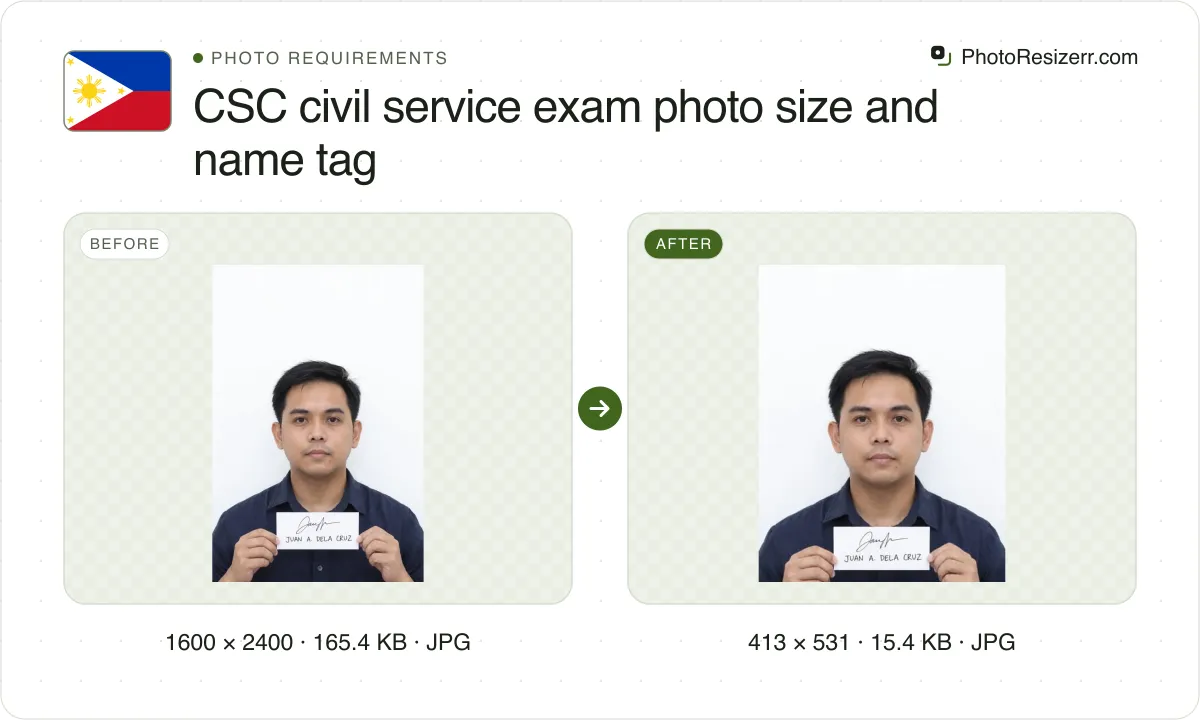
You hand in four identical copies. Each must show you holding a handwritten name tag, your signature over your printed full name. The tool lays six copies on a 4 x 6 inch sheet.
What the authority specifies
- Photo size
- 45 mm by 35 mm
- Pixels at 300 DPI
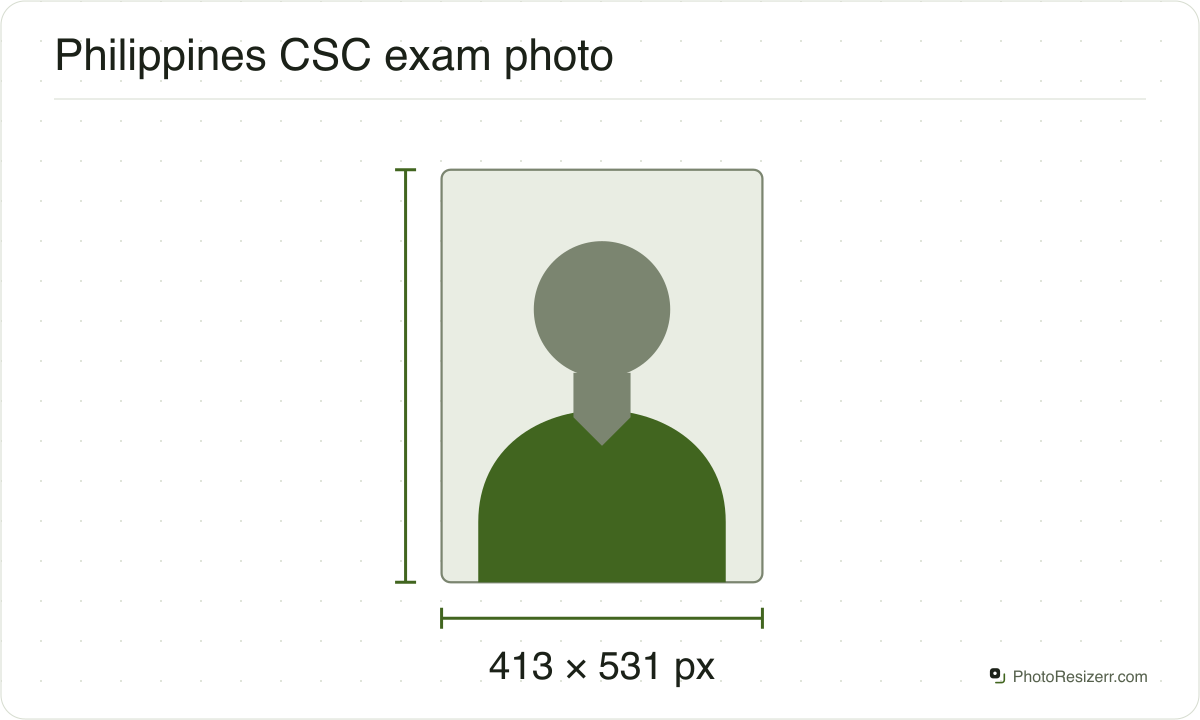
- 413 x 531
- Background
- white
- File size
- No limit published
- Source
- csc.gov.ph
- Read at the source on
Each size on this page was read at the issuing authority's own website, not copied from another converter or from a search result.
The page it came from and the date it was read are printed above, so you can check the same source in one click.
Why this size?
The rule is the Philippine Civil Service Commission's. It is printed on CS Form No. 100 and in each exam announcement. We read the form and the announcement for the 9 August 2026 Career Service Examination, the pen and paper test.
The front of the form has an ID PHOTO box that repeats the rule in short: Philippine passport size, 80% face capture, bare face, both ears showing, and a handwritten name tag.
How you file depends on your region. The announcement lists CSC eServe, OCSEAS and the Lingkod Bayani Kiosk in Caraga, and tells you to ask your Regional or Field Office for the procedure. It states no file format or file size for the picture.
CSC states centimetres and no pixel size. This tool makes the picture at 35 x 45 mm and saves the resolution in the file, so a photo lab or your own printer prints it at size on photo paper.
You need four copies. The tool's print sheet puts six on one 4 x 6 inch print, with cut guides, or thirty on A4. Print it at actual size.
Where the pixel figure comes from
Passport offices publish millimetres, not pixels, because the photograph is printed. Turning millimetres into pixels needs a resolution, and most authorities do not name one.
This one does not, so the pixel figure above is 300 DPI, the resolution print shops work to. The millimetre measurement is the requirement; the pixel figure is our arithmetic on top of it.
The file you download records that resolution in its header, so a print dialog set to actual size uses it instead of guessing at 72 or 96 DPI and printing the photo several times too large.
That matters if you are uploading rather than printing.
An online form usually states its own pixel size or file size limit, and where an authority publishes one this page uses that instead of converting anything.
Check before you submit
Requirements change, and the only version that counts is the one on the authority's own page on the day you apply.
Every size here links to the page it came from and shows the date it was read. If that date looks old, spend a minute at the source before you print anything.
What happens to your photo?
Your selected photo is processed in your browser, without an image upload to a server. The page may download code and codecs needed for editing.
Save your result before closing the tab; unsaved edits are kept in memory rather than in an online account.
Common questions
What size is the CSC exam ID picture?
CSC writes it as Philippine passport size, 4.5 cm x 3.5 cm. Its sample is an upright portrait, so 4.5 cm is the height. That is 35 x 45 mm.
The announcement gives the inches as 1.8 x 1.4 and the form as 1.78 x 1.38. Go by the centimetres: 4.5 cm is 1.77 inches.
Can I type the name tag or add it on a computer?
No. CSC asks for a handwritten, not computer-generated, name tag. Its footnote says hand-held means your picture is taken while you are holding the tag.
So write the tag, hold it, then take the picture. A tag added to the photo afterwards is not hand-held, and this tool has no control that adds one.
What do I write on the name tag?
Your signature over your printed full name: given name or names, middle initial if any, last name, and extension name if any. CSC's sample reads JUAN A. DELA CRUZ, JR. with a signature above it.
CSC says the tag must be legible. The print is only 3.5 cm wide, so write large, in dark ink.
How can my face fill 80% with the tag an inch below my chin?
CSC asks for a shot from shoulder level up, with the head and face filling at least 80% of the picture, and the name tag about 1 inch, 2.54 cm, below the chin.
Both cannot be measured on the print: 80% of 4.5 cm is 3.6 cm, which leaves 0.9 cm. Our reading is that the inch is where you hold the tag. CSC does not say.
Can I wear glasses or a head covering?
No eyeglasses and no coloured contact lenses. No headdress, bandana or other accessory that may cover your features, and your left and right ears must show.
CSC adds a note for Muslim women: a head covering may stay on, with the forehead and both ears showing.
Do I upload the picture or bring prints?
Bring prints. CSC asks for four identical pictures, printed on good quality photo paper that does not peel off. One 4 x 6 inch sheet from this tool holds six.
Whether your region's online filing also asks for a file is not in the announcement. It states no format, pixel size or KB limit, and sends you to your Regional Office.
What size is the picture in pixels?
CSC publishes none. This tool makes 413 by 531 pixels, which is 35 by 45 mm at 300 DPI, and saves 300 DPI in the file so it prints at size.
The picture must be in colour, on a white background, and taken within three months before you file.
Last updated: