Japanese passport photo size
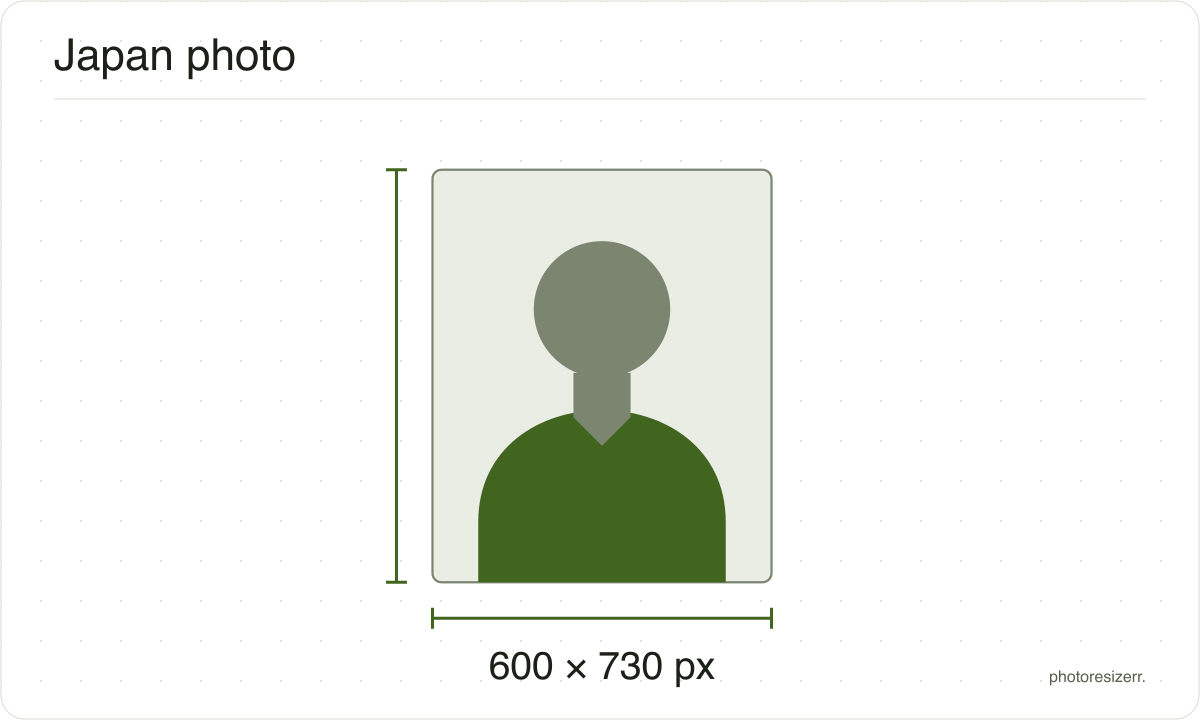
A Japanese passport photo is a borderless print 35 mm wide by 45 mm high, with 34 mm, give or take 2, from chin to crown. White is recommended. Online, the file is 600 by 730 pixels: a JPEG up to 600 KB on Mynaportal, or 20 KB to 2 MB through ORRnet abroad.
Jump to the toolYour workspace PIXELS · PREVIEW · DOWNLOADPrivate by default
Processed on your deviceNo watermark. No signup.
What the authority specifies
Online in Japan
- Photo size
- 600 x 730 pixels
- Background
- plain, white recommended; the older pale blue is accepted, with no gradient or shadow
- File size
- up to 600 KB
- Read strictly
- At most 600,000 bytes, which your computer shows as 585.9 KB
- Source
- www.mofa.go.jp
- Read at the source on
Online abroad
- Photo size
- 600 x 730 pixels
- Background
- plain, white recommended; the older pale blue is accepted, with no gradient or shadow
- File size
- 20 KB to 2 MB
- Read strictly
- 20,480 to 2,000,000 bytes, which your computer shows as 20.0 KB to 1.91 MB
- Source
- www.mofa.go.jp
- Read at the source on
Paper photo
- Photo size
- 45 mm by 35 mm
- Pixels at 300 DPI
- 413 x 531
- Background
- plain, white recommended; the older pale blue is accepted, with no gradient or shadow
- File size
- No limit published
- Source
- www.mofa.go.jp
- Read at the source on
Each size on this page was read at the issuing authority's own website, not copied from another converter or from a search result.
The page it came from and the date it was read are printed above, so you can check the same source in one click.
Why this size?
Japan's Ministry of Foreign Affairs (MOFA) sets the photo rules, following the ICAO recommendations for travel documents.
Its Passport Division's notice of March 2025 draws the print: 35 by 45 mm with no border, the head 34 mm tall, give or take 2, and about 4 mm above it.
Since 24 March 2025 you can apply online anywhere in Japan through Mynaportal, and from abroad through ORRnet. The app can take the photo for you, or you can upload one from a studio.
The upload is not the print scanned. MOFA draws it at 600 by 730 pixels, with the head 535 pixels tall, give or take 35. That is wider than 35 by 45, so the switcher makes each file from your original photo.
The two systems treat a large file differently. Mynaportal compresses a JPEG over 600 KB itself. ORRnet takes JPG, PNG or BMP from 20 KB to 2 MB, compresses it on upload, and shows an error if it is still too big.
Where the pixel figure comes from
Passport offices publish millimetres, not pixels, because the photograph is printed. Turning millimetres into pixels needs a resolution, and most authorities do not name one.
This one publishes pixels directly, because the photo is uploaded rather than printed, so no resolution was needed and the pixel figure above is the authority's own.
That matters if you are uploading rather than printing.
An online form usually states its own pixel size or file size limit, and where an authority publishes one this page uses that instead of converting anything.
Check before you submit
Requirements change, and the only version that counts is the one on the authority's own page on the day you apply.
Every size here links to the page it came from and shows the date it was read. If that date looks old, spend a minute at the source before you print anything.
What happens to your photo?
Your selected photo is processed in your browser, without an image upload to a server. The page may download code and codecs needed for editing.
Save your result before closing the tab; unsaved edits are kept in memory rather than in an online account.
Common questions
What size is a Japanese passport photo?
35 mm wide by 45 mm high, with no border. MOFA's notice writes it height first, 45 by 35, which is the same photo.
The head, chin to crown, is 34 mm, give or take 2. Leave about 4 mm above it and 7 mm below the chin, and keep the face centred.
What size is the photo for the online application?
MOFA's guide to online photos draws it at 600 pixels wide by 730 high. The head is 535 pixels, give or take 35, with about 75 above it, 120 below the chin and at least 35 at each side.
That is not the print's shape, so a scanned print comes out wrong. Switch to Online in Japan or Online abroad to make the file.
How big can the photo file be?
It depends on where you apply. Mynaportal, in Japan, takes a JPG of up to 600 KB and compresses a larger one itself.
ORRnet, for Japanese nationals abroad, takes JPG, PNG or BMP from 20 KB to 2 MB. It compresses the file as it uploads, and shows an error if the result is still over the limit.
Should the background be white or blue?
White is recommended. MOFA still accepts the pale blue backgrounds photo studios have long used, but not a gradient.
Whatever the colour, it must be plain, with no shadow, pattern or objects, and it must contrast clearly with your face and hair.
Can I take the photo myself with my phone?
Yes. In an online application the app can take it as you go, or you can upload a photo saved on your phone.
Turn off mirroring first. Some camera apps flip the picture left to right, and MOFA rejects a mirrored photo, as it does one edited to enlarge the eyes, whiten the skin or remove moles.
Can I wear glasses in a Japanese passport photo?
MOFA recommends a photo without them. If you wear them, the lenses must not reflect light and the frame must not cross your eyes.
Sunglasses and tinted lenses are refused unless you need them for medical reasons. So are coloured contact lenses, and lenses that make the iris look larger.
How do I take a baby's passport photo?
If the baby cannot sit up, lay them on a white sheet and take the photo from directly above. MOFA accepts that.
The photo is refused if a helper's hand or body shows, or if the baby's eyes are closed. Hold the camera steady, since a moving baby blurs easily.
Do I write anything on the back of the print?
Yes, your name. MOFA asks for the applicant's name on the back of the printed photo, written lightly enough that it does not show through on the front.
The photo must also be no more than six months old on the day you apply.
What size is the printed photo in pixels?
Japan publishes none for the print. Paper photo makes 413 by 531 pixels, the 35 by 45 mm print at this tool's 300 DPI, and writes 300 DPI into the file for the print shop.
The 600 by 730 upload is a separate file with its own proportions, not a larger copy of the print.
Last updated: